
Options Profit Calculator
Browser options payoff / P/L calculator with named strategy templates and an Option Finder, not a broker.
Reviewed
Quick verdict
Options Profit Calculator
Start here if you want a free browser P/L graph for a named options structure. Pay Starter only to remove ads; Pro/Growth dollars exist on OPCalc+ checkout if you want the app membership tiers.
Sourced fit
- Free named strategy calculators (covered call, CSP, iron condor, calendars, custom multi-leg) plus Option Finder.
- Published Starter ad-free dollars at $9.95 a month or $99.50 a year; OPCalc+ Pro/Growth checkout dollars also published.
- Official Montréal Exchange path documented with a .to symbol suffix (example: bmo.to).
Sourced limits
- Not a broker. Order routing is unverified.
- Real-time data is still “Coming soon” on the membership page; free help copy says prices delay up to 15 minutes.
- Starter signup is ads-only; which paid SKU unlocks rolling calculator / quick view / backtester is unverified.
- Form-driven one-calculation workflow, not OptionStrat’s interactive builder, optimizer, or flow feed.
This directory may earn a commission if you buy through links. There is no affiliate link on this page yet. This button goes to the official homepage.

Pricing
Public dollars captured 2026-09-03: free calculators; Starter $9.95 a month or $99.50 a year (ads-only per signup); OPCalc+ Pro $14.95 a month or $149.50 a year; Growth $49.95 a month or $499.50 a year. Confirm on the official site before you pay.
Short answer: Options Profit Calculator is free to use in your browser. Pick a strategy, enter your trade, and it draws an estimated profit and loss chart using prices delayed up to 15 minutes. If the ads bother you, the ad-free plan is $9.95 a month or $99.50 a year, and the signup page now gives you the first 7 days free (checked 2026-10-04).
Verdict
Options Profit Calculator (OPC) is browser software for viewing estimated returns and profit/loss on stock-options strategies. The homepage describes “a unique way to view the returns and profit/loss of stock options strategies,” and the public FAQ/help notes that estimates use implied volatility from selected options and the underlying, with market prices “15 min delayed.” It is a payoff / P/L calculator and Option Finder — not a broker, not a signal service, and not a source of investment advice.
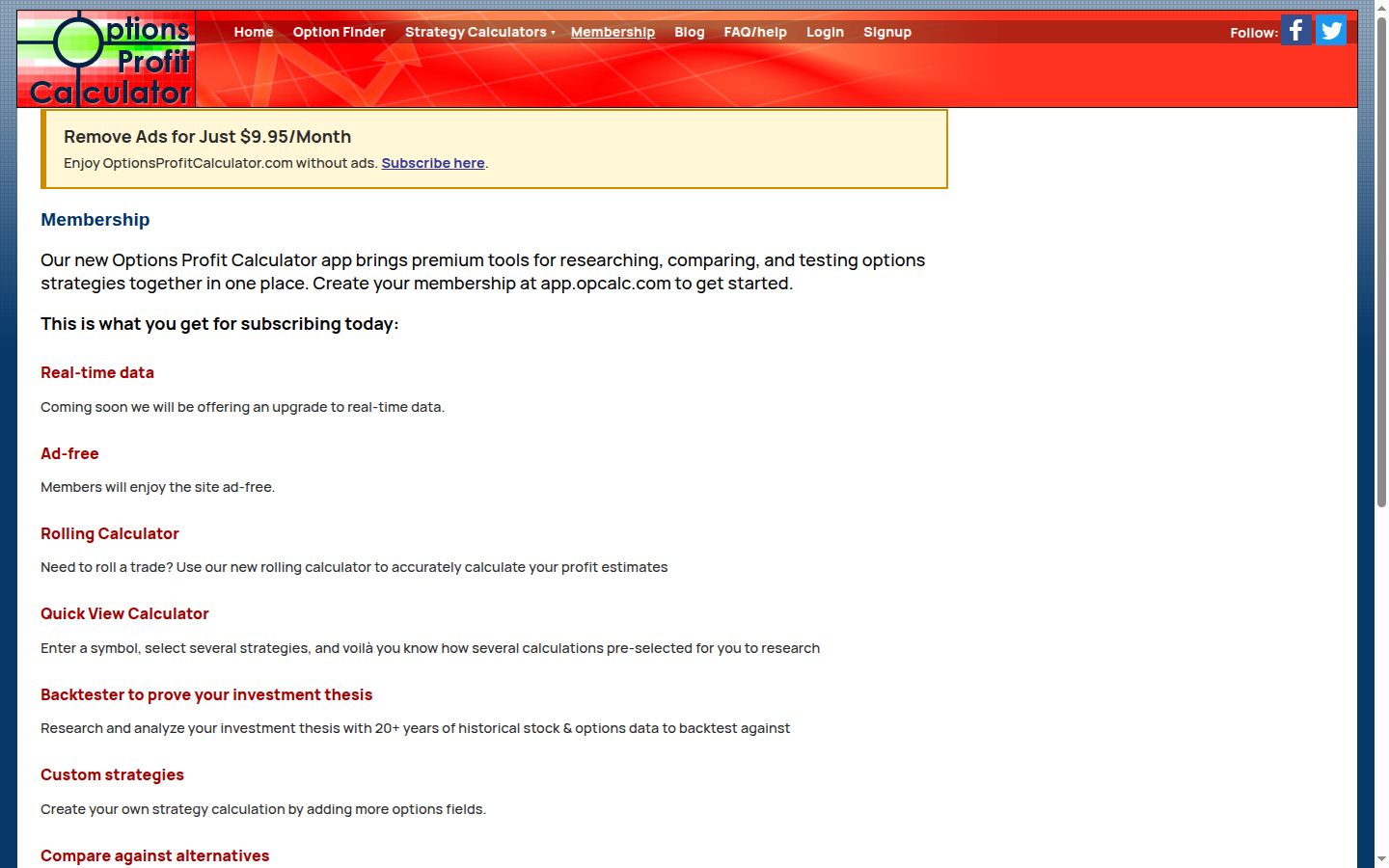
The free public site ships named strategy calculators (Basic, Spreads, Advanced, and Custom multi-leg builders up to eight legs) plus Option Finder. Membership marketing on optionsprofitcalculator.com/membership.html shows “Remove Ads for Just $9.95/Month” and points premium tooling at app.opcalc.com. Signup for Starter states that subscription “removes advertising only” and does not include other product benefits. OPCalc+ checkout dollars (captured from the public app checkout plan objects on 2026-09-03) were Starter $9.95/mo / $99.50/yr, Pro $14.95/mo / $149.50/yr, and Growth $49.95/mo / $499.50/yr. Real-time data on the membership page is labeled “Coming soon.”
Public marketing pages we reviewed describe calculators, Option Finder, membership extras (rolling calculator, quick-view calculator, backtester with “20+ years” of historical stock and options data, custom strategies, compare-against-alternatives), and an OPCalc+ app — not account opening or order routing. Whether the product can send orders to a broker is unverified. Do not treat this page as a how-to for placing trades.
We are not saying Options Profit Calculator is the best options calculator, the best free tool, or the best purchase. We are not saying it will make a strategy profitable.
Video review
First-party walkthrough on YouTube (same job as this page: OPC is a calculator, not a broker):
Options Profit Calculator Review 2026: Not a Broker (Ei_o_M64InU)
Best for
- Visualize an options payoff / P/L in a browser without paying. Official strategy pages (example: Long Call) let you enter an underlying symbol, select an option, set buy/write and contracts, then view estimated P/L. Help copy on those forms states prices are delayed up to 15 minutes. Display modes described in the calculator help include dollar P/L, percent of maximum risk, percent of entry cost, a risk graph (profit vs underlying with time-to-expiry as colored lines), and option/spread value.
- Named templates that already exist on the site. Basic: Long Call, Long Put, Covered Call, Cash Secured Put, Naked Call, Naked Put. Spreads: Credit Spread, Call Spread, Put Spread, Poor Man’s Covered Call, Calendar Spread, Ratio Back Spread. Advanced: Iron Condor, Butterfly, Collar, Diagonal, Double Diagonal, Straddle, Strangle, Covered Strangle, Synthetic Put, Reverse Conversion. Custom: 2–8 legs.
- Option Finder when you have a target price and date. Official Option Finder copy: enter the price you expect a stock to move to by a date, and it “will suggest the best call or put option that maximises profit at the expected price point.” The form also supports long/short options and debit/credit spreads, an optional max cost/risk budget, and an optional stock-purchase overlay.
- Readers who want a published Canadian MX path. An official blog post, “Option calculator for Canada’s MX exchange-trade options,” states OPC supports Montréal Exchange options by appending
.toto the symbol (example given:bmo.tofor Bank of Montreal). That is vendor documentation for MX-listed underlyings — not a claim about every Canadian product or broker.
That is a fit for traders who want to see a diagram of one structure before they send an order somewhere else. It is not a claim that using the diagram improves results.
Skip if
- You want Options Profit Calculator to be the broker. This is not a broker comparison. OPC is listed here as analysis software. Whether it can send orders to a broker is unverified.
- You want drag-a-strike interactivity, a saved multi-month trade book, an optimizer ranked by “chance of profit,” or a live unusual-flow tape. Those jobs sit closer to OptionStrat (builder / optimizer / flow) or to flow listings such as Unusual Whales and Cheddar Flow. OPC’s free surface is one calculation at a time with form-driven inputs.
- You need verified live (non-delayed) exchange data today. Membership copy: real-time data is “Coming soon.” Free calculator help: prices delayed up to 15 minutes. Treat live-data claims beyond that as unverified.
- You assumed Starter unlocked every membership bullet. Signup for Starter: removes advertising only; “It does not include any other product benefits.” Which paid OPCalc+ SKU unlocks rolling calculator, quick view, or backtester on the membership list is unverified beyond that Starter disclaimer and the dollar cards.
- Your primary job is charting equities or scanning unusual flow. Charting belongs on chart and screen stocks. Flow belongs on scan unusual options flow. OPC is a payoff calculator, not a Supercharts or flow-tape replacement.
What you get at each price
Public dollars and copy captured 2026-09-03 from optionsprofitcalculator.com, membership.html, signup.html (Starter card), and OPCalc+ checkout plan objects on app.opcalc.com (Starter / Pro / Growth).
| Free (public site) | Starter | Pro | Growth | |
|---|---|---|---|---|
| Public price as shown | Free (ads on the public pages we captured) | $9.95/mo or $99.50/yr | $14.95/mo or $149.50/yr | $49.95/mo or $499.50/yr |
| Where the dollar was shown | Homepage / calculators | Membership “Remove Ads for Just $9.95/Month”; signup Starter card; OPCalc+ checkout | OPCalc+ checkout | OPCalc+ checkout |
| What that tier is stated to include | Strategy calculators + Option Finder; market prices described as 15 min delayed on calculator/FAQ help | Signup: “removes advertising only”; “does not include any other product benefits.” Membership banner: ad-free | Dollar card only on the checkout objects we captured; feature matrix by SKU unverified on public HTML | Same — dollar card verified; feature matrix by SKU unverified |
| Trial as shown | — | Signup: 7-day free trial, “$0 due today” (checked 2026-10-04; the 2026-09-03 capture said “No trial period”) | Unverified on the public pages we captured | Unverified |
Also listed on official membership / OPCalc+ marketing (not mapped to a verified SKU in the table above):
- Membership “subscribing today” bullets: ad-free; rolling calculator; quick-view calculator; backtester (“20+ years of historical stock & options data”); custom strategies; compare against alternatives (strike, expiry, or spread width). Real-time data: “Coming soon.”
- Membership “working on” / future bullets: standard-deviation overlay; portfolio of saved calculations; anticipated IV changes; spreadsheet download; popular searches.
- OPCalc+ homepage product names: Advanced Strategy Calculator; Strategy Backtester; Option Finder. Exact feature parity between the classic site and the app is unverified.
- Starter signup billing: monthly or yearly, with a 7-day free trial before the first charge (signup copy, checked 2026-10-04).
Prices change. Confirm on OPC’s membership and OPCalc+ checkout pages before you pay. This directory does not sell Options Profit Calculator and has no affiliate URL.
Pros and cons
Sourced from the official pages listed under Verified features. We do not invent partner-program payout rules.
Pros
- Free, named strategy calculators for common structures (covered call, cash-secured put, iron condor, calendars, custom multi-leg) plus Option Finder: usable without a paid seat. To screen or build iron condors as a workflow, use that job page rather than this calculator alone.
- Calculator help is explicit that underlying/option market prices used in estimates are delayed up to 15 minutes.
- Official MX / Canada path documented (append
.toto the Montréal Exchange symbol). - Published Starter ad-free dollars ($9.95/mo / $99.50/yr) and OPCalc+ Pro/Growth checkout dollars without requiring this directory to invent a plan card.
Cons
- Not a broker; order routing is unverified.
- Real-time data is still “Coming soon” on the membership page we captured.
- Starter is ads-only per signup; richer membership bullets are not verified per SKU on public HTML.
- Form-driven, one-calculation workflow — not the interactive drag-strike builder / optimizer / flow product described on OptionStrat’s public pages.
- Exact cancellation, refund, and Pro/Growth feature lists beyond the dollar cards are unverified on the public pages we retrieved.
Vs OptionStrat
This is not a ranking. These are neighboring listings for the same visualize an options payoff job. We do not invent star ratings. We do not crown a winner.
| Options Profit Calculator | OptionStrat | |
|---|---|---|
| Status on this directory | Live review | Live review |
| Job | Visualize an options payoff / P/L; Option Finder for a target price | Visualize an options payoff; optimizer and unusual-flow as extra jobs |
| What official pages describe | Named strategy calculators, Option Finder, membership extras, OPCalc+ app | Interactive builder (50+ templates), optimizer, OPRA data, unusual-flow feed |
| Price captured here | Free; Starter $9.95/mo or $99.50/yr (ads-only per signup); Pro $14.95/mo or $149.50/yr; Growth $49.95/mo or $499.50/yr (2026-09-03) | Free (15-min delay) / Live Tools $39.99/mo / Live Flow $99.99/mo; annual dollars unverified |
| Canada | Official MX .to symbol path documented |
Canadian-listed coverage unverified; US-listed OPRA focus |
| Broker? | Not a broker; order routing unverified | Not a broker; order routing unverified |
Use OPC when the job is a free (or cheap ad-free) P/L graph for a named structure, or when you want the documented MX .to path. Use OptionStrat when the job is an interactive builder, membership-tier builder extras, an optimizer, or a live unusual-flow feed. For a Keep / Gain / Lose job-fit map of neighboring payoff / strategy-scan listings (not a ranking), see Options Profit Calculator alternatives. None of those sentences is a recommendation to switch, and none is a claim that either product wins the job.
Also see the OptionVue free Black-Scholes calculator and the thinkorswim review (Analyze tab, free with a Schwab account). For other calculators in that family, see OptionVue alternatives. For free options lessons on tastylive, start there before you treat a payoff graph as a course.
Verified features
Sourced from optionsprofitcalculator.com, option-finder.html, strategy calculator pages (including long-call.html), membership.html, faq.html, signup.html, the MX blog post option-calculator-for-canadas-mx-exchange-trade-options, and OPCalc+ public pages / checkout plan objects on app.opcalc.com. Captured 2026-09-03. We do not list features we could not confirm on those surfaces.
Strategy calculators (publicly described)
- Homepage and Strategy Calculators menu: Basic, Spreads, Advanced, and Custom (2–8 legs) templates listed above.
- Long Call (and peer) forms: underlying symbol + get price; buy or write; select option; price per option; contracts (×100); total cost; optional stock purchase on some strategies (e.g. covered call).
- Help on price fields: “Prices are delayed up to 15 minutes.”
- FAQ/help: estimations based on implied volatility from selected options and the underlying; exit value less entry value using latest market prices (15 min delayed) combined with cost prices you select; Black–Scholes mentioned on Long Call educational copy for pre-expiry estimates.
- Display modes in calculator help: % of maximum risk; % of entry cost; dollar P/L; risk graph; option/spread value.
Option Finder (publicly described)
- Target expected price (at close / or above / or below) and date or expiry.
- Optional max cost/risk budget; optional add stock purchase.
- Strategy toggles: long option; short/naked option; credit spreads; debit spreads.
- Homepage updates: Option Finder supports selecting long or short options and debit or credit spreads.
Membership / OPCalc+ (publicly described)
- Ad-free banner: $9.95/Month.
- Starter signup: $9.95 / month or $99.50 / year; removes advertising only; 7-day free trial, $0 due today (checked 2026-10-04).
- OPCalc+ checkout plan objects: Starter / Pro / Growth at the monthly and yearly dollars in the pricing table.
- Membership “today” feature bullets and “coming soon” real-time data, as listed above.
- OPCalc+ homepage: Advanced Strategy Calculator, Strategy Backtester, Option Finder.
Canada / MX (publicly described)
- Blog: search MX symbols with a
.tosuffix (examplebmo.to). - Homepage updates blurb: “Support for Canadian MX options.”
Canada note
This directory is written with readers in Canada as well as the United States.
MX path. Unlike several neighboring payoff listings where Canadian-listed coverage is entirely unverified, OPC publishes a blog post stating Montréal Exchange options are searchable with a .to suffix. Confirm the symbol still resolves in the live calculator before you rely on it. Coverage of every MX root, CDRs, and TSX-only underlyings beyond that post is unverified.
Canadian broker compatibility. We found no official OPC page that lists Questrade, Wealthsimple, TD Direct Investing, or Interactive Brokers Canada as integrated execution partners. Compatibility with a specific Canadian broker is unverified. Many people use a calculator in one browser tab and a broker in another — that workflow describes two separate products, not a verified integration.
Currency (CAD vs USD), registered-account constraints (TFSA, RRSP), and Canadian tax treatment of options are outside this review.
Confirm pricing, data rights, and symbol coverage on the official site. Official homepage only: optionsprofitcalculator.com. There is no affiliate link on this page.
Price cues from the alternatives page
These notes moved off the alternatives page. Prices are the figures already published there, not new quotes.
- Visualizer $10 a month; Pro $30 a month; All Access $50 a month (annual $100 / $300 / $500).
- 14-day free trial; Beginner $35 a month annual; Advanced $50 a month annual.
- Monthly $100; Annual $750.
- Platform no charge for Schwab clients; 30-day Guest Pass (paper). Trade commissions use Schwab pricing, not a cheapest-broker ranking.
FAQ
- Is Options Profit Calculator a broker?
- No. This directory lists it as options-analysis software. Public pages describe calculators, Option Finder, and membership tooling — not account opening or order routing. Whether it can send orders to a broker is unverified. Do not treat this page as a how-to for placing trades.
- Is the free plan enough?
- For opening a named strategy calculator or Option Finder and seeing an estimated P/L graph with delayed data, yes — the public site does that without a paid seat. Pay Starter when you want the published ad-free seat ($9.95/mo or $99.50/yr on the cards we captured). Treat Pro/Growth as separate OPCalc+ checkout dollars; which app features unlock on each SKU is unverified beyond Starter’s ads-only signup disclaimer. Real-time data remains “Coming soon” on the membership page.
- Does it work in Canada?
- As analysis software in a browser, you can open the site from Canada. An official blog post documents Montréal Exchange options via a `.to` symbol suffix (example: `bmo.to`). That is stronger documentation than many neighboring payoff tools provide for Canadian-listed options. Named Canadian-broker integrations (Questrade, Wealthsimple, TD Direct Investing, Interactive Brokers Canada, and similar) are unverified. Currency (CAD vs USD), registered-account constraints (TFSA, RRSP), and Canadian tax treatment of options are outside this review.
- How is this different from OptionStrat?
- Both can draw an options payoff / P/L picture. OPC’s public site is a form-driven calculator with named templates and Option Finder, with a documented MX path and lower published Starter dollars. OptionStrat’s public product is an interactive builder with optimizer and unusual-flow extras at higher published Live Tools / Live Flow dollars. This page does not rank them.