Collections / Use a brokerage account · Use Grok bots for trading
TradingView vs tastytrade vs IBKR AI connectors (MCP)
A directory comparison of three official AI connectors (MCP servers) for options workflows — not a ranking, not a “#1,” and not financial advice. An AI reply is not a trade idea from this site.
For options traders, the practical split is simple: tastytrade’s official MCP can read full option chains with Greeks and place real orders (with a dry-run gate); Interactive Brokers’ official AI Integration can read option chains and draft instructions you still submit yourself; and TradingView’s official MCP (public beta) helps with quotes, screeners, news, and watchlists — but it does not read option chains, Greeks, or place orders.
Comparison table
Facts below come only from each vendor’s official MCP / AI Integration pages. Cells marked unverified are left that way on purpose.
| Connector | Official? | Plan / requirement | Reads option chains? | Greeks / IV? | Positions? | Places orders? | Canada notes |
|---|---|---|---|---|---|---|---|
| TradingView MCP | Yes — public beta (announced 16 Sep 2026) | Essential and above; trials excluded. OAuth at mcp.tradingview.com; no API keys | No | No dedicated Greeks / IV tool (whether any screener column exposes IV is unverified) | No broker positions or balances | No | Availability unverified |
| tastytrade MCP | Yes — open source, self-hosted | Funded tastytrade account + OAuth client ID, secret, and refresh token. Node 22+; no hosted endpoint | Yes — full chains | Yes — delta, gamma, theta, vega, IV | Yes — positions, balances, transactions | Yes — real orders after dry-run confirmation (60s token); optional read-only mode | Not available — tastytrade does not accept Canadian accounts |
| IBKR AI Integration | Yes — hosted MCP | Active IBKR account; no API keys; no extra cost. Certified in ChatGPT, Claude, Grok, Perplexity (Gemini coming) | Yes | IV appears in IBKR examples; full Greeks unverified | Yes — positions, cash, margin, P&L, transactions, risk | No — AI drafts instructions; you submit in the AI Instructions tab | Not excluded (unlike IN/JP); Canada confirmed for AI Integration is unverified |
TradingView MCP
TradingView’s official MCP server is a remote public beta at https://mcp.tradingview.com/mcp. You sign in with OAuth — no API keys. It works with Claude, ChatGPT/Codex, and any streamable-HTTP MCP client. Plan gate: Essential and above; trial plans are excluded. Rate limit is about 100 calls per minute; TradingView may also cap daily requests in beta. Official copy says the tool list is limited and market data is delayed (exact delay unverified).
Documented tools cover quotes and price history, screener, technical ratings, fundamentals, news, filings and transcripts, earnings / economic / dividend calendars, watchlist create and manage, and simple price alerts plus the alert log. They do not cover option chains, Greeks, a dedicated IV tool, chart control or drawing, order placement, or broker positions / balances. Canada availability is unverified. The viral “Claude controls my TradingView charts” demos use unofficial community GitHub tools that drive TradingView Desktop through Chrome DevTools debugging — they are not made by TradingView. Full review: TradingView.
tastytrade MCP
tastytrade’s official MCP is open source and self-hosted (github.com/tastytrade/tastytrade-mcp). There is no hosted endpoint: you clone and build it (Node 22+) and run it locally. You need a funded tastytrade account plus an OAuth client ID, secret, and refresh token from the tastytrade API settings.
It can pull real-time quotes, full option chains with Greeks (delta, gamma, theta, vega, IV), positions, balances, transactions, and watchlists. It can place single- and multi-leg orders (including edit, replace, and cancel) across stocks, options, futures, futures options, and crypto. Orders are real: submitting tools need a dry-run confirmation token valid 60 seconds. Optional TASTYTRADE_READ_ONLY=1 withholds write tools. The default environment is production (real money); the sandbox has no market data. Canada: tastytrade does not accept Canadian accounts. Full review: tastytrade.
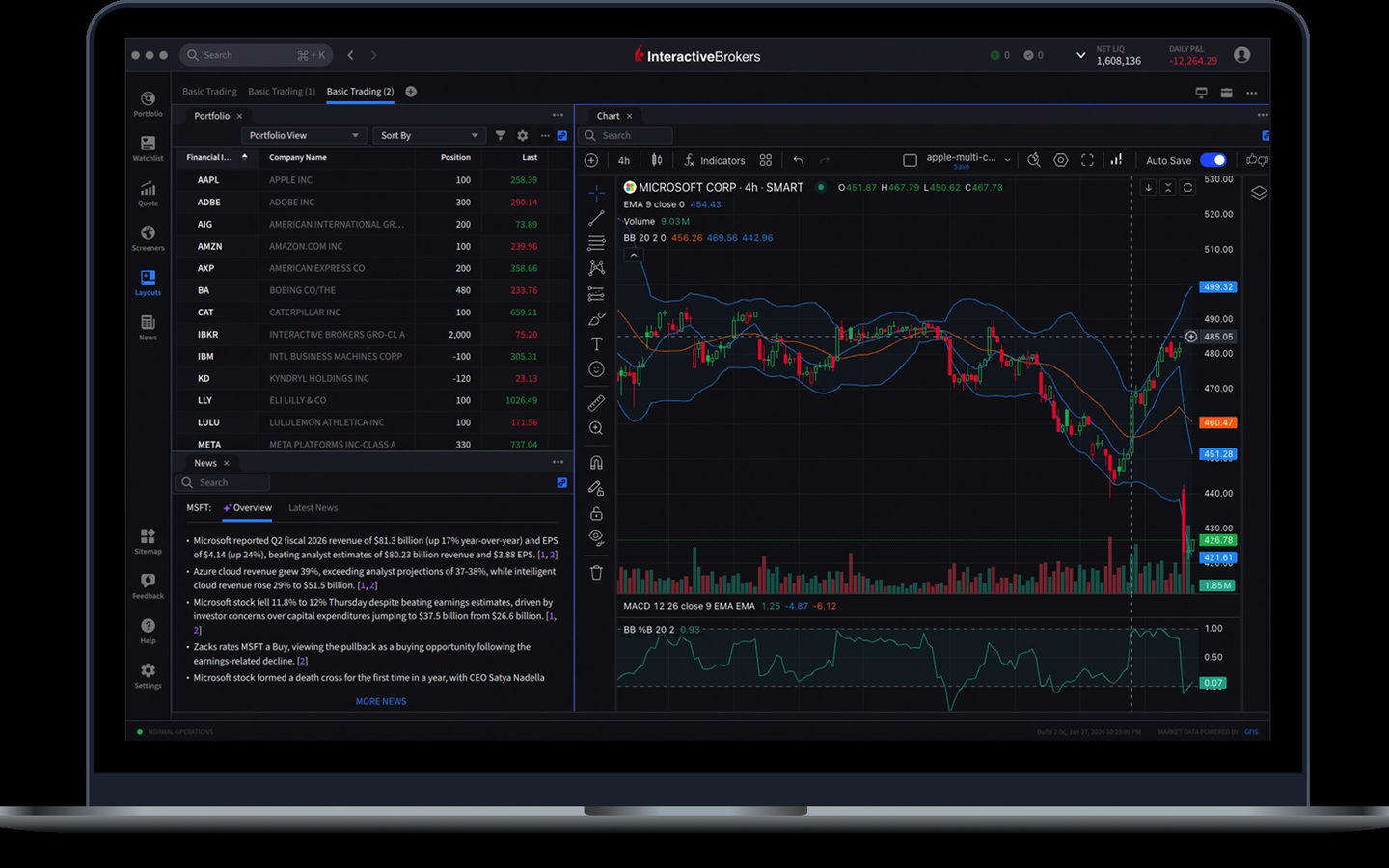
Interactive Brokers AI Integration
IBKR’s official AI Integration is a hosted MCP. Certified connectors exist in ChatGPT, Claude, Grok, and Perplexity (Gemini coming). Any MCP client can use https://api.ibkr.com/v1/api/mcp-public with an IBKR login — no API keys and no extra cost beyond an active IBKR account.
Data exposed on IBKR’s list includes positions, cash balances, margin, P&L, transactions, option chains, risk exposures, and multi-currency balances. It does not place orders: the AI creates trade instructions, which you review and submit in the AI Instructions tab of an IBKR platform. “Instructions never become orders automatically.” Not available in India or Japan. Canada is not excluded, but explicit confirmation for Canada clients is unverified. IV appears in IBKR’s examples; full Greeks are unverified. Per an IBKR reply, only one AI platform can be connected per account at a time. Full review: Interactive Brokers.
Which one for options traders
If you need official MCP access to option chains with Greeks and the ability to place multi-leg orders from the AI session, tastytrade is the only one of these three that does both — and only if you already hold (or can open) a funded tastytrade account outside Canada. If you want option-chain reads and account context without letting the AI fire tickets, IBKR’s hosted connector fits: it drafts instructions you still approve. If you want charting-adjacent research chores (quotes, screener, news, watchlists, price alerts) inside Claude or ChatGPT and you already pay for TradingView Essential or above, TradingView MCP is useful — but it is not an options-chain or order tool. Skip Schwab’s retail path here: its official MCP work is an advisor/RIA offering, not a retail trader connector.
Setup basics
- TradingView. Point a supported MCP client at
https://mcp.tradingview.com/mcpand complete TradingView OAuth. Confirm your plan is Essential or above (not a trial). - tastytrade. Clone and build the official repo (Node 22+), create OAuth credentials on my.tastytrade.com, configure the client, and decide whether to run read-only or allow order tools with dry-run confirmation. Default is production.
- IBKR. Connect a certified client (ChatGPT, Claude, Grok, Perplexity) or any MCP client to
https://api.ibkr.com/v1/api/mcp-public, log in on IBKR’s screen, and authorize one account. Review any trade instructions in the AI Instructions tab before submitting.
Caveats
- TradingView MCP is a public beta: limited tools, delayed data, possible daily request caps.
- tastytrade MCP places real money orders by default; treat dry-run tokens and read-only mode as required safety checks, not optional extras.
- IBKR instructions never become orders automatically — but you can still submit a bad instruction if you skip the review step.
- Unverified on this page: TradingView Canada availability; exact TradingView data delay; whether any TradingView screener column exposes IV; IBKR Canada confirmation for AI Integration; full IBKR Greeks beyond IV examples.
- Unofficial community TradingView desktop controllers are out of scope except as a one-line warning above. Do not treat them as TradingView’s product.
Related on this directory
- Live reviews: TradingView, tastytrade, Interactive Brokers
- Broker collections: Use a brokerage account, Brokers in the US, Brokers in Canada
- Adjacent AI software (not MCP connectors): Use Grok bots for trading
- Charting neighbors (not this job): TradingView vs Thinkorswim vs TrendSpider
Sources
FAQ
- Which official MCP reads option chains for traders?
- tastytrade’s official self-hosted MCP and Interactive Brokers’ hosted AI Integration both expose option chains; TradingView’s official MCP does not — its documented tools have no option-chain, Greeks, or IV surface.
- Can any of these connectors place live orders?
- Only tastytrade’s MCP places real orders (after a dry-run confirmation token valid 60 seconds). IBKR’s AI Integration drafts trade instructions you review and submit in the AI Instructions tab — instructions never become orders automatically. TradingView’s MCP has no order tools.
- Does TradingView MCP work on Essential, and does it need API keys?
- Yes for Essential and above (trial plans excluded). You OAuth at https://mcp.tradingview.com/mcp with your TradingView account — no API keys. It is a public beta announced 16 Sep 2026.
- Is tastytrade MCP available in Canada?
- No. tastytrade does not accept Canadian accounts, so the MCP (which requires a funded tastytrade account) is not available to Canadian residents on that basis.
- Does IBKR’s AI connector place trades for you?
- No. The AI creates trade instructions; you open the AI Instructions tab in an IBKR platform to review and submit. Only one AI platform can be connected per IBKR account at a time.
- Are the viral “Claude controls my TradingView charts” demos official?
- No. Those demos use unofficial community GitHub tools that drive TradingView Desktop through Chrome DevTools debugging. They are not made by TradingView and are not the official TradingView MCP server.
Listings in this comparison
Order is TradingView → tastytrade → Interactive Brokers. That order matches the search query, not a score.